Custom audiences on ChatGPT Ads
Uploading customer lists to ChatGPT Ads — the 25,000 match minimum, exact file formats, hashing rules, and what happens to the file you upload.
Custom audiences let you take a list of your own customers and use it to shape who sees your ChatGPT ads — targeting them, excluding them, or bidding differently for them.
There is one number that decides whether any of this is relevant to you, and almost nothing else matters until you have cleared it.
The 25,000 problem#
A custom audience needs at least 25,000 matched users before you can target it. OpenAI recommends at least 100,000.
Corrected 23 September 2026: this minimum applies to inclusion only. OpenAI's API documentation states that "a small exclusion audience doesn't need to meet the inclusion minimum", and describes the excluded-audiences field as accepting ready audiences "including small audiences". So a store with 3,000 customers can't target them, but can suppress them from an acquisition campaign. See what you can exclude.
Matched users, not uploaded rows. Invalid values, duplicates, and identifiers that simply do not correspond to a ChatGPT account are all discarded before the count is taken. So the list you upload needs to be comfortably larger than 25,000 to land above 25,000 — and nobody can tell you the match rate in advance.
For most Shopify stores, this ends the conversation for targeting. A store with 8,000 lifetime customers cannot build an audience it can advertise to, and no amount of formatting care changes that.
Exclusion is the exception, and it's the reason a small store should still read on: you can suppress a list of any size. Everything below about file formats, hashing and processing applies either way.
What you can actually do with one#
Three things, and they operate at different levels.
| Use | Level | Effect |
|---|---|---|
| Include | Campaign | Only people in the audience are eligible |
| Exclude | Campaign | People in the audience never see the campaign |
| Bid multiplier | Ad group | Bid more or less when the viewer matches |
Include and exclude are the ones visible in the campaign builder today, under a Custom audiences section between the landing page parameters and the budget.
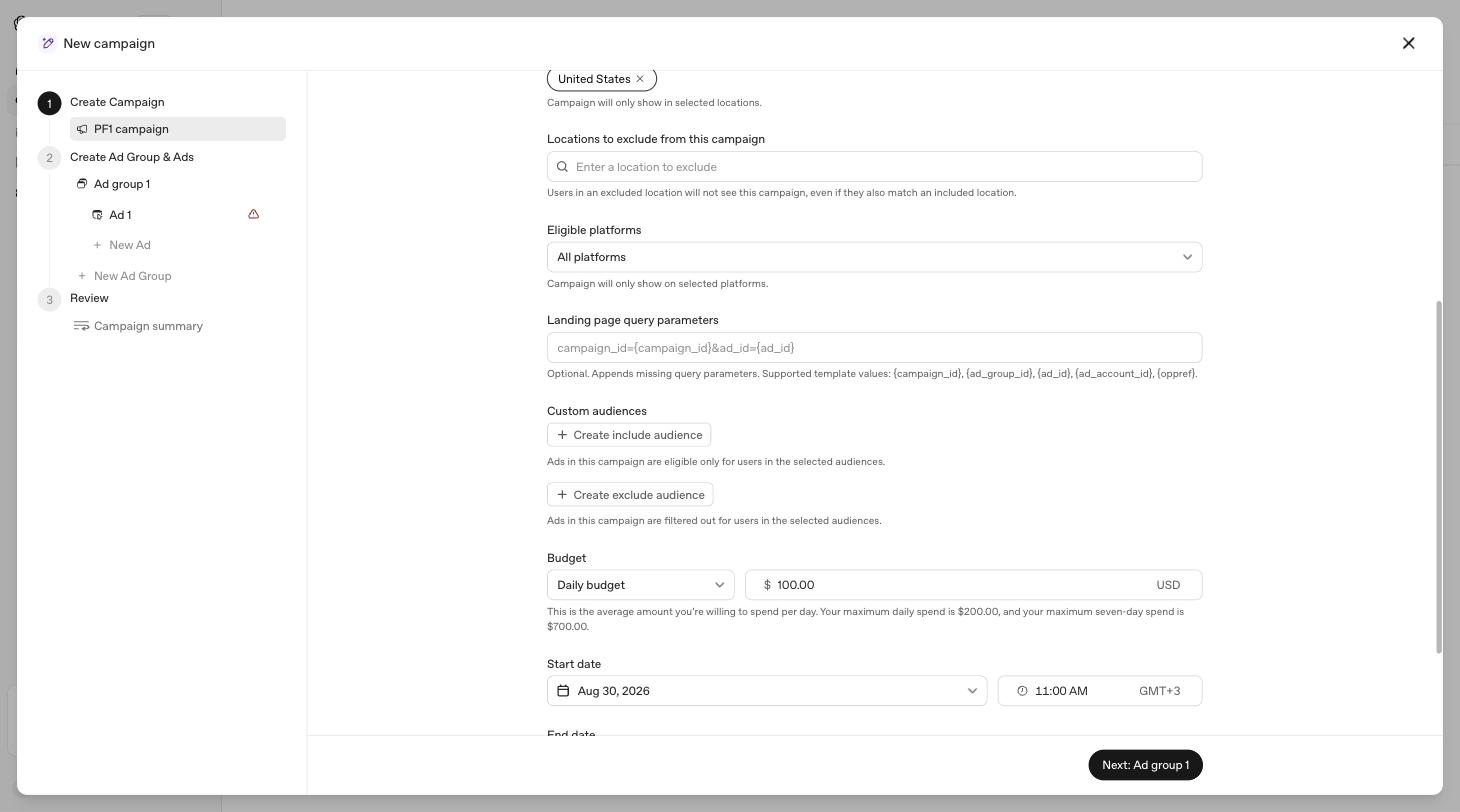
The combination rules are worth knowing before you plan anything:
- Inclusion only — eligible if in at least one included audience.
- Exclusion only — eligible broadly, except anyone in an excluded audience.
- Both — eligible only if in an included audience and not in an excluded one. The audience that survives the exclusion must still clear 25,000.
The same audience cannot be both included and excluded in one campaign. Obvious when stated, easy to attempt when you have a dozen lists with similar names.
The bid multiplier, with a caveat#
Documentation describes audience bid adjustments at ad group level: pick a ready audience, set a multiplier between 0.1x and 10x, and the ad group's maximum bid moves when the viewer matches. If someone is in several selected audiences, the highest multiplier wins. Multipliers change what you pay, not who is eligible.
I could not find this in the panel. Walking a Standard ad group end to end, the fields are name, bid strategy, landing page query parameters, default destination URL and context hints — there is no Advanced settings section and no audience bid adjustment control. That may be because this account has no audiences to attach one to, or because it has not shipped here yet. Treat it as documented rather than confirmed, and go looking once you have a Ready audience.
Building the list#
Tools → Audiences → Create audience.
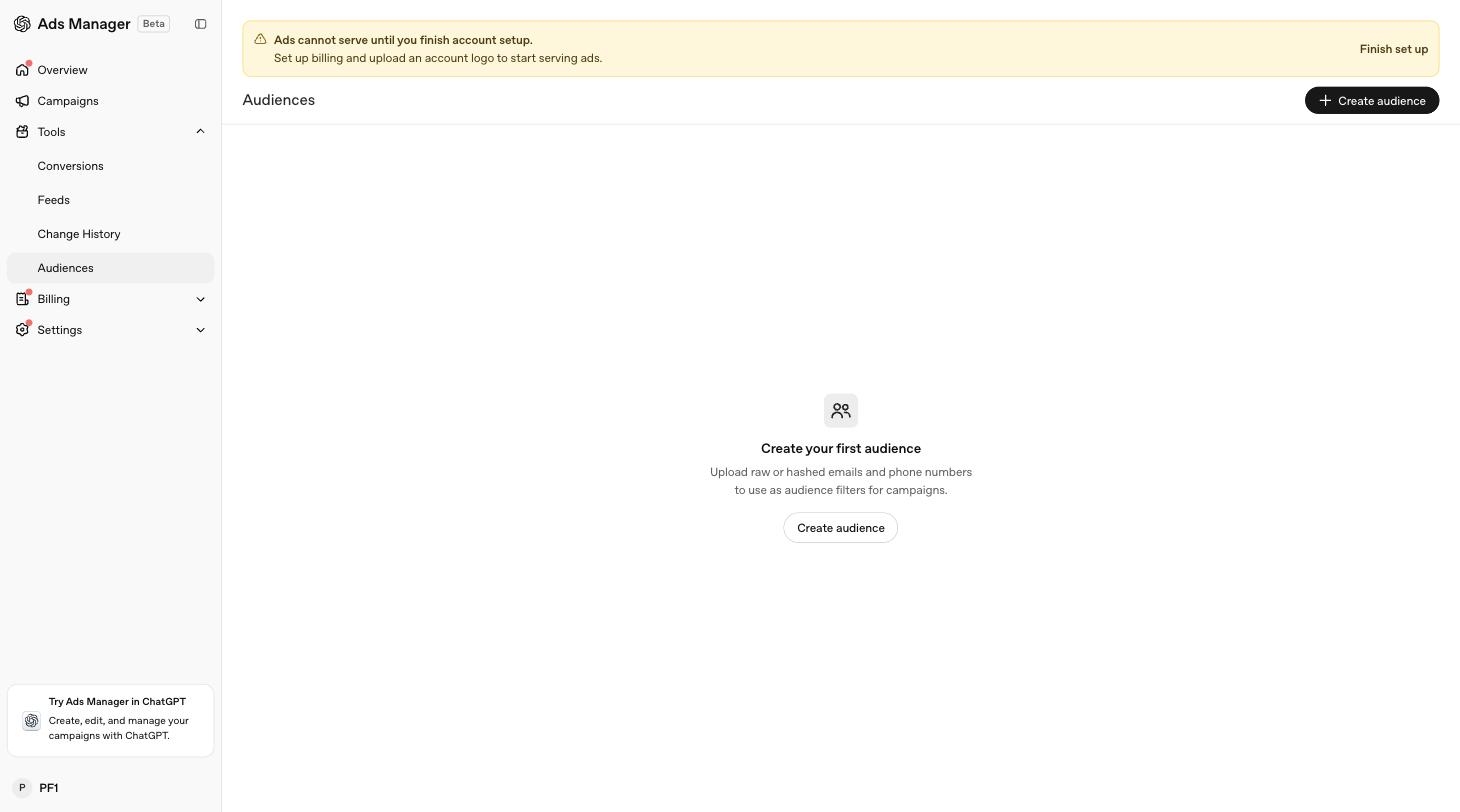
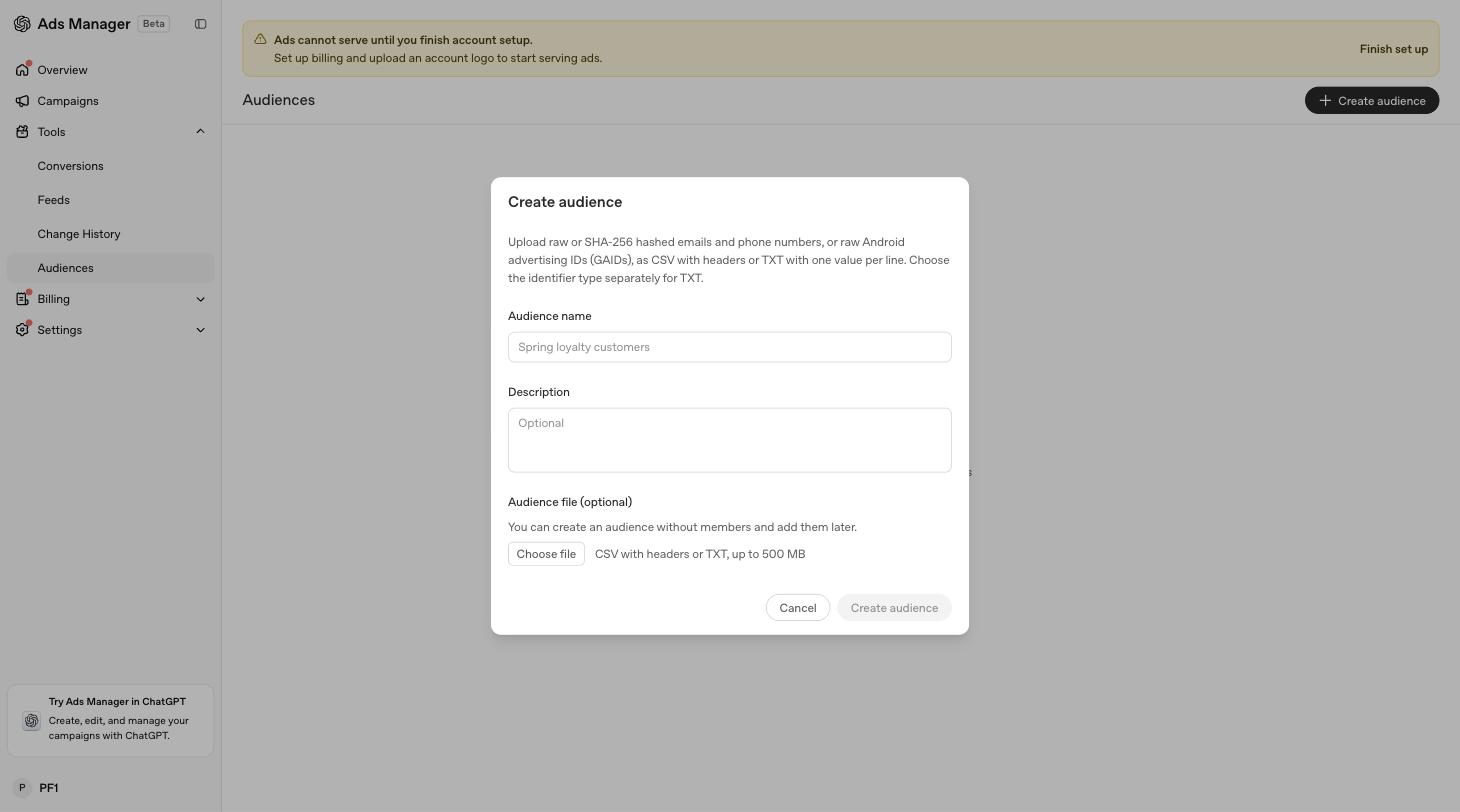
The dialog wants a name, an optional description, and a file — and the file is optional too. You can create an empty audience and add members later.
What the file has to look like#
- UTF-8 CSV or TXT, up to 500 MB (500,000,000 bytes). A UTF-8 BOM is accepted.
- Up to 5,000,000 identifiers per upload.
- One identifier type per file. Do not mix emails and phone numbers, or raw and hashed values, in the same upload.
- TXT: one identifier per line.
- CSV: a header row is optional, but if you use one the column must be named exactly
email,phone_number,email_sha256, orphone_number_sha256.
If you are exporting from another tool, re-save as UTF-8 before uploading. Exports that arrive as Latin-1 or UTF-16 will fail, and the failure will not explain itself in those terms.
The four identifier types#
You choose one of four, and each has formatting rules that reject rows silently rather than fixing them for you.
Email. One @. Uppercase is accepted and normalised to lowercase. Leading and trailing spaces are stripped. Spaces inside the address are not accepted.
Phone. E.164 only — a + and a country code. Spaces, dashes, parentheses and periods are stripped during normalisation, so +1 (555) 123-4567 is fine. A number without a country code is rejected. This is the single most common way a phone list fails, because most CRM exports store national format.
SHA-256 hashed email. Normalise first — lowercase and trim — then hash. The value must be a 64-character hex digest.
SHA-256 hashed phone. Normalise to E.164 including the + and country code, then hash. Again, 64 hex characters.
Hash after normalising, never before. Sam@Example.com and sam@example.com produce completely different digests, and the platform cannot undo a hash to fix your capitalisation. Every unnormalised row is a customer you paid to collect and then failed to match.
After you upload#
Processing usually takes 20 to 30 minutes, longer for big files. The audience then carries a status:
| Status | Meaning |
|---|---|
| Processing | Still working; not usable yet |
| Ready | Processed, above 25,000 matched, usable for targeting or exclusion |
| Too small | Under 25,000 matched; can't be targeted, but can still be excluded |
| Failed | File could not be processed |
You may also see intermediate states — Upload pending, Indexing, Publishing — which all mean wait.
In Ads Manager, a custom audience cannot be edited after creation. The help centre says to create a new audience and archive the old one, which means every campaign pointing at the old one needs repointing. Name your audiences with a date in them from day one.
The API disagrees. OpenAI's developer documentation describes endpoints for adding and removing members on an existing audience, and for replacing the membership wholesale against an expected revision. So the create-and-archive rule looks like a limit of the interface rather than the platform. If you're integrating programmatically, check the API reference before you build the archiving dance.
What happens to the file#
Two facts here matter more than anything else in this article if you are the person who has to answer for them.
Uploaded audience files are deleted after processing, usually within 24 hours. The file itself does not sit in the ad account indefinitely.
Ads Manager does not show individual matched users, and does not let you select specific people. Audiences are applied as a group-level control only. You cannot inspect who matched, and neither can anyone else in your account.
That is a genuinely reasonable design. It does not, however, answer the question your legal team will ask, which is whether you had a lawful basis to send those addresses to an advertising platform in the first place. Nothing about the platform's retention policy creates that basis for you.
Raw uploads are accepted, but hashing is free. The panel takes plain email addresses and phone numbers. It also takes SHA-256 digests, and the matching works the same way. If you can hash before uploading, do — it costs you a line of code and removes an entire category of conversation about what left your systems. The only reason to upload raw is that you cannot normalise reliably, and if that is true you have a data quality problem that will hurt your match rate anyway.
I have written separately about what leaves your store and what hashing does and doesn't protect.
A working order#
- Check your list size first. Under about 40,000 rows, expect to fall short of 25,000 matched and plan accordingly.
- Normalise: lowercase and trim emails; convert phones to E.164 with country codes.
- Hash with SHA-256 after normalising, if you can.
- One identifier type per file, UTF-8, correct header name.
- Upload, wait half an hour, and check the status is Ready rather than Too small.
- Apply at campaign level as include or exclude — remembering the surviving audience must still clear 25,000 when you use both.
The Ads Manager is in beta and moving; the audience bid multiplier above is documented but not yet visible in this account. If what you see differs from what is written here, the panel is right.
I build LLM Pixels, a Shopify app for ChatGPT Ads conversion tracking.