ChatGPT Ads negative keywords: what you can exclude
ChatGPT Ads has no keywords, so it has no negative keywords. Here is every exclusion it does have — audiences, locations, platforms and products.

If you have run Google or Amazon ads, negative keywords are muscle memory. You launch, read the search terms report, and start blocking the queries wasting your money.
ChatGPT Ads has no negative keywords. Not "not yet", not "hidden in an advanced panel" — the concept does not apply, because there are no keywords to negate in the first place.
That is not the end of the story, though. There is a real set of exclusions, they behave differently from Google's, and one of them turns out to be far more useful to small stores than the documentation first suggests.
Why there is nothing to negate#
Google matches your ad to a query. ChatGPT matches your ad to a conversation.
The closest thing to keywords in ChatGPT Ads is the context hints field on an ad group, where you describe in prose the conversations where your product belongs. OpenAI's developer documentation is explicit about what that field is not:
Hints are not exact-match keywords. They also do not replace explicit geographic, platform, or audience targeting.
And elsewhere:
Context hints supply context rather than hard keyword eligibility.
If hints don't create hard eligibility, a negative version of them couldn't create hard ineligibility either. There is no search terms report to mine, because there are no search terms — the matching signal is the conversation, the landing page, your copy and your hints, and none of that is exposed to you as a list of phrases to block.
So the question worth asking isn't "how do I add negatives", it's "what can I exclude".
Everything you can exclude#
| What | Where | Granularity |
|---|---|---|
| Custom audiences | Campaign | Whole uploaded lists |
| Locations | Campaign | Country, or region within a country |
| Platforms | Campaign | Five app and browser platforms |
| Products | Ad group (feed campaigns) | By product attribute filters |
That's the list. Notably absent: no topic or conversation blocklist, no placement or site exclusions (there are no sites — ads appear in ChatGPT), and no demographic or interest exclusions in the documented targeting fields.
Audience exclusion, and the limit that doesn't apply#
This is the most useful one, and the one most likely to be misread.
Custom audiences normally have a hard floor: an audience needs 25,000 matched users before you can target it. For most stores that rules them out entirely.
That minimum applies to inclusion, not exclusion. OpenAI's API documentation says it twice, plainly:
A small exclusion audience doesn't need to meet the inclusion minimum.
And in the campaign targeting reference, the excluded audiences field is described as taking "Ready audience IDs eligible for exclusion, including small audiences".
That changes the calculus completely for a small store. You may not have 25,000 customers to target — but you can upload the 3,000 you do have and stop paying to advertise to them. Suppressing existing customers from an acquisition campaign is the single highest-value exclusion available to most merchants, and it was never gated behind the audience minimum.
The rules that go with it#
- Exclusion wins. If someone is in both an included and an excluded audience, they're excluded.
- You can't have it both ways. The same audience can't be included and excluded in one campaign.
- Combining the two re-imposes the floor. If you include and exclude audiences on the same campaign, "the remaining eligible audience must still meet the minimum". Exclusion-only campaigns escape this — just leave the inclusion field off entirely.
- An empty audience excludes nobody. You can create an audience with no members and add them later, but until it has members it suppresses nothing.
- Check eligibility before you rely on it. The API exposes
GET /custom_audiences?intended_use=exclusion, which tells you which audiences are actually usable for exclusion. A ready small audience is eligible to exclude but "isn't automatically eligible for inclusion".
There's more on building and formatting these lists in custom audiences on ChatGPT Ads — a post I've now corrected, because it stated the minimum as applying to every audience.
Location exclusion#
Campaigns take both an include list and an exclude list, and the exclude list works at two levels:
- Whole countries, via
excluded_locations.countries - Regions inside a country, via
excluded_locations.includewith location IDs
So "the United States except California" is a single campaign, not a workaround. OpenAI publishes a geographic target catalogue of supported location IDs, and you can put up to 2,500 IDs across your inclusion and exclusion lists.
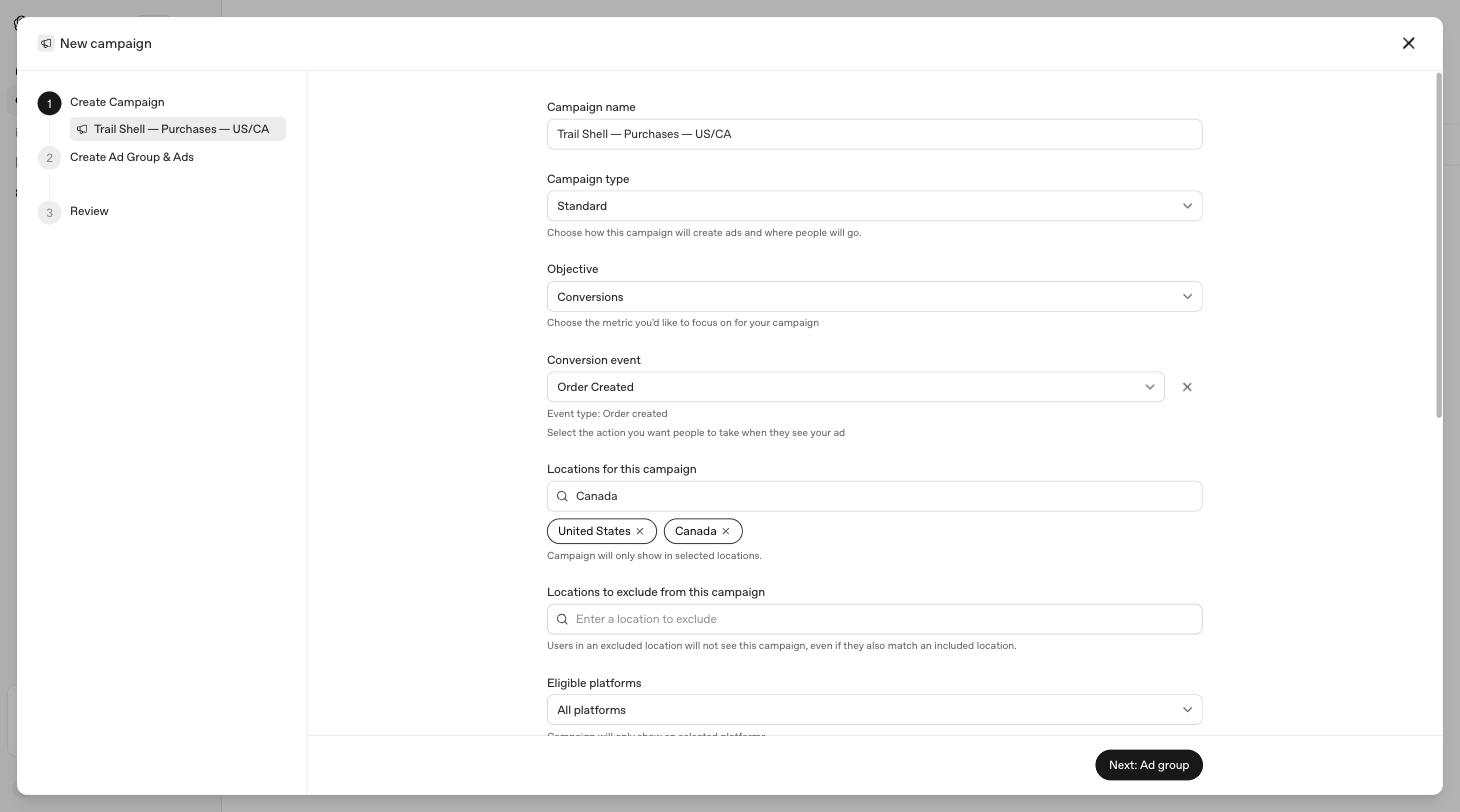
One limitation to plan around: new product-feed campaigns "support geographic targeting and exclusions only at country level". If you sell a catalogue and need to exclude a state or province, that isn't available.
For a store, the practical uses are obvious: exclude places you can't ship to, places where a product isn't legal to sell, and — if you're testing — the regions where your own staff and suppliers are, so their traffic doesn't pollute a small sample.
Platform exclusion#
There is no "exclude platform" field. You choose which of the five platforms can serve, and anything you leave out is excluded:
android_app, android_web, desktop_web, ios_app, ios_web
One legacy detail worth knowing if you're using the API: the older value web still exists and "continues to include all web platforms". Mixing web with the individual web values defeats the point — to target specific web platforms, OpenAI says use the individual values "without web".
This is the exclusion most stores should actually be using, because it's the one where waste is measurable. If your checkout converts on desktop and fails in a mobile in-app browser, dropping ios_app and android_app stops the spend while you fix it.
Product exclusion in feed campaigns#
Feed ad groups select products with filters, and the documented operators are in, gt, gte, lt and lte.
There is no "not in" operator in that set. You cannot express "everything except the clearance line" directly. Every exclusion has to be rewritten as an inclusion:
| What you want | How to express it |
|---|---|
| Exclude items under $20 | price gte 20 |
| Exclude a poorly-reviewed range | star_rating gte 4 |
| Exclude one brand | brand in [every other brand] |
| Exclude a seasonal line | Tag the keepers with a custom label and filter in on it |
The last row is the one that scales. If you need arbitrary "not this" logic, put the decision in your feed as a label and filter positively on the label — your feed generator can compute the negation, the ad platform can't. Check which label fields your account supports first, since OpenAI's docs say not to invent targeting keys.
What OpenAI excludes for you#
Some of what advertisers use negative keywords for is handled upstream, whether you ask for it or not. Ads are not eligible to appear near sensitive or regulated content including personal health, mental health and politics; there is no political advertising; ads don't run in Temporary Chats, in the ChatGPT Atlas browser during the test, for users under 18, or for anyone on a paid plan.
You cannot tighten any of these, and you cannot loosen them. They're worth knowing mainly so you don't go hunting for a brand safety control that isn't yours to set.
A working exclusion setup#
For a typical store, in order of value:
- Upload your customer list and exclude it from acquisition campaigns. Small lists are fine for this. Add recent purchasers too if you sell something with a long replacement cycle.
- Exclude countries and regions you can't serve — shipping, licensing or legal restrictions.
- Watch performance by platform and drop any platform that spends without converting, at least until you've checked the checkout on it.
- In feed campaigns, filter products positively — minimum price, minimum rating, or a custom label you control.
- Stop looking for a search terms report. It doesn't exist. The lever that shapes where you appear is the context hints field, and the way to narrow it is to write it more precisely, not to block phrases.
That last point is the real adjustment coming from Google. Your influence over matching is editorial, not mechanical: better hints, a clearer landing page, sharper copy. There's no list to prune.
I build LLM Pixels, a Shopify app for ChatGPT Ads conversion tracking.